


Top
SmartX Framework
1. SmartX Framework Introduction
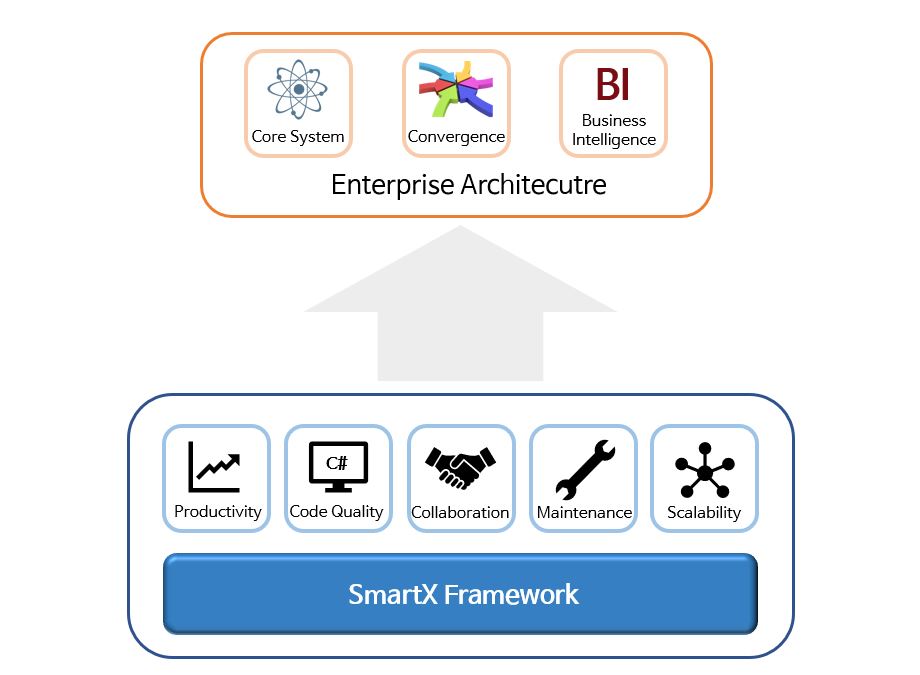
SmartX Framework is a Microsoft .NET-based enterprise development framework optimized for corporate system integration projects.
It supports standardized development, rapid implementation, comprehensive testing, and stable operation from initial deployment to continuous maintenance and functional expansion.
Benefits of SmartX Framework
- Maintains high performance and consistent code quality
- Increases development productivity
- Enables seamless team collaboration
- Improves maintenance convenience through modular business components
- Provides easy functional scalability with library independence
Enterprise System
2. SmartX Application Architecture
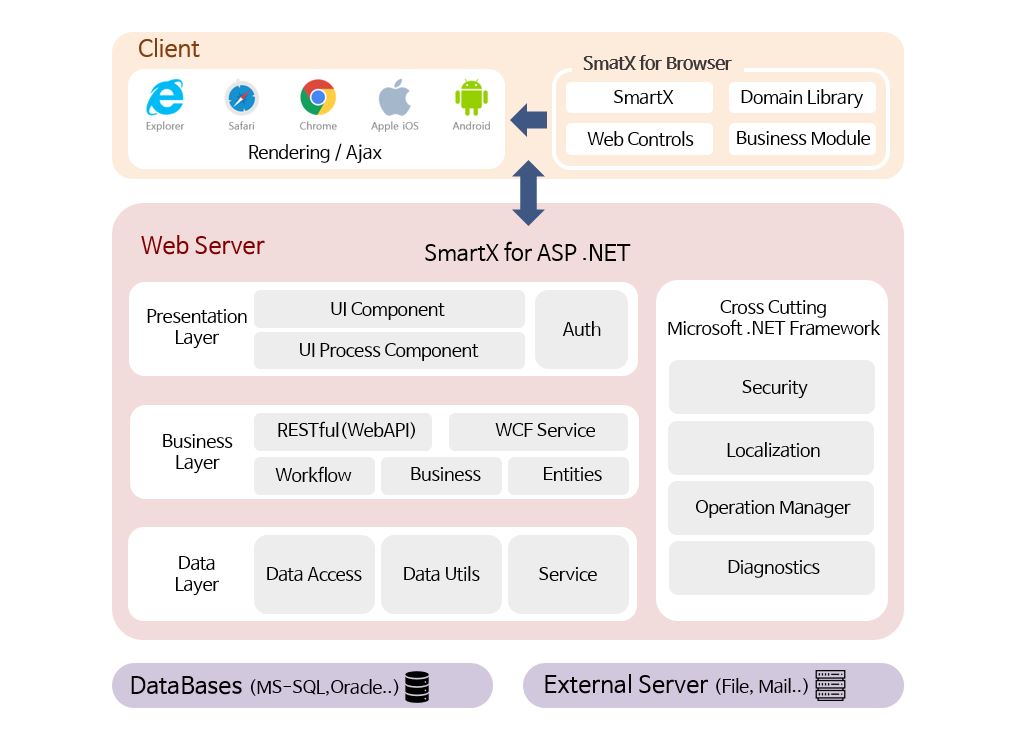
SmartX Framework comprises essential elements for realizing Enterprise Architecture (EA).
It implements EA through comprehensive components covering business, applications, data, and underlying technologies.
- Business: SOA, web-standard RESTful services, Workflow support, data connection Entities
- Application: UI components, authentication/authorization, web-standard cross-browser compatibility
- Data: Heterogeneous database access and data processing utilities
- Technology: Built on Microsoft .NET Framework technologies
SmartX Framework is based on the web MVC (Model-View-Controller) pattern.
- It loosens coupling between models to make expansion and component addition easy, enabling flexible system development. Furthermore, model independence enables automated testing and improves overall project quality.
- It enhances development convenience by allowing Views and Controllers to be connected like plug-ins, and View independence makes it easy to customize the UI Look and Feel.
Web Application
Presenter Layer of SmartX Framework
- SmartX Framework mitigates common MVC drawbacks—such as inefficient data access in the View, increasing complexity, and simultaneous update overhead—by providing a dedicated Presenter Layer. It maintains efficient and stable performance through WCF data processing, a lightweight JSON architecture, and stateless RESTful communication.

3. SmartX Framework UI Reference
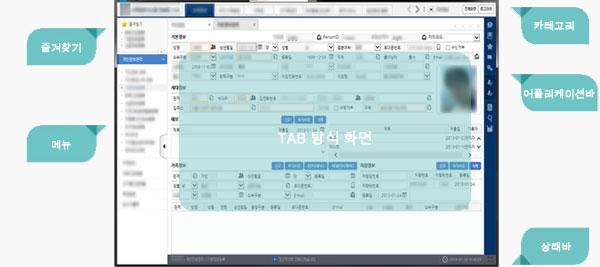
SmartX Framework includes essential UI architecture for enterprise systems.
- UI Basic Elements: Menus, Bookmarks, Tab Screens, Application Bar, Categories, Status Bar
- System Common Elements: Authority Management, Screen Management, Code Management
Advantages of the Built-in UI Structure
- Hierarchical menu structure based on user permissions and dynamic screen invocation
- Bookmark functionality for immediate access to frequently used business screens
- Top Menu provided as a category navigation area
- Multi-tasking capability through tabbed multi-screen transitions
- Status bar for real-time operational status monitoring
- Quick menu functions (Help, Previous Screen, Add Bookmark, Close All Tabs, etc.) via the Application Bar
- Built-in multilingual support for global enterprise websites
- Shortcut keys to maximize user work efficiency
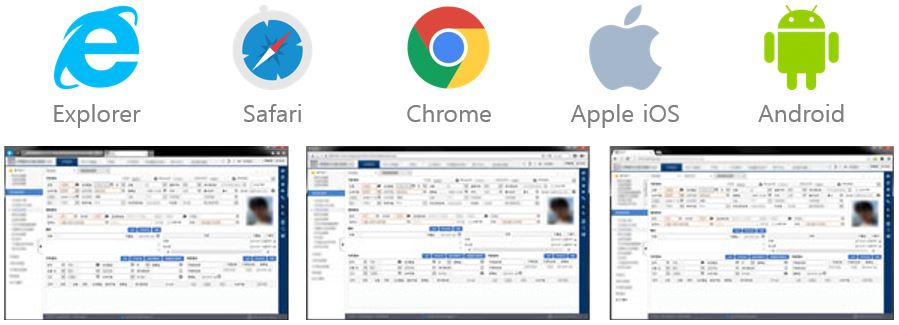
Cross-Browser Compatibility
- Built on HTML5 standards, it delivers consistent rendering across diverse web browsers without browser-specific code, improving development productivity, maintainability, and user accessibility.
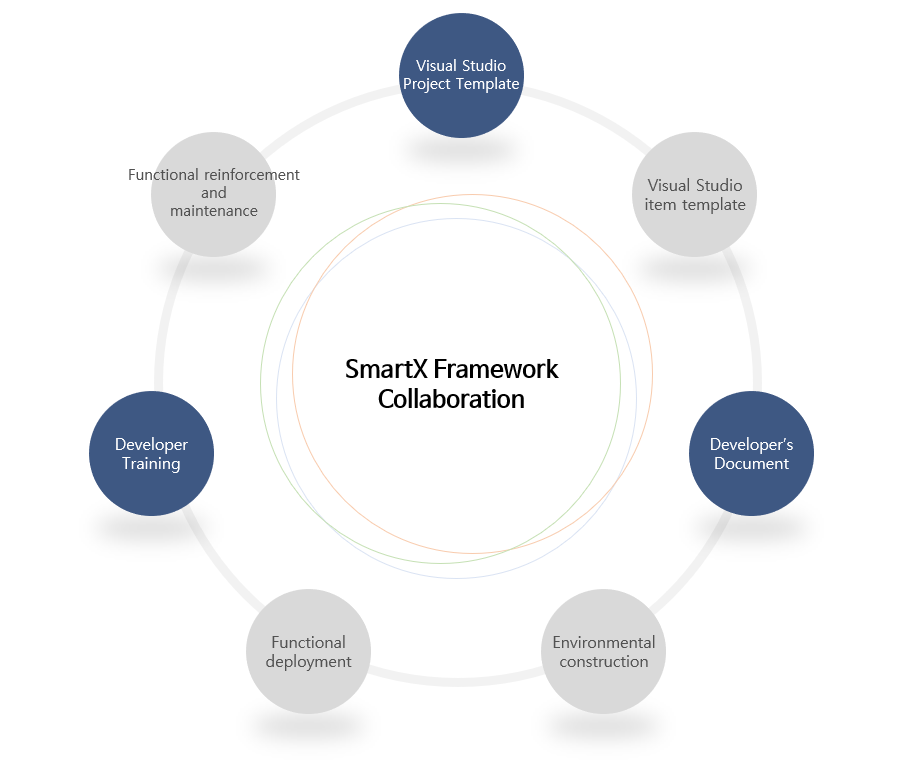
4. SmartX Framework Collaboration Support
Multiple developers can collaborate simultaneously using Visual Studio Team Foundation by default, and source control systems (SourceSafe, SVN, Vault) can be flexibly applied according to project requirements.
SmartX Framework Collaboration
Frequently Asked Questions (FAQ)
Q. What types of enterprise systems is SmartX Framework best suited for?
SmartX Framework is optimized for enterprise web and smart client system integration projects, supporting standardized development, automated testing, and long-term maintainability.
Q. How does SmartX Framework improve upon the traditional MVC pattern?
While based on the web MVC pattern, it introduces a dedicated Presenter Layer to reduce view complexity and leverages WCF, lightweight JSON, and stateless RESTful services for fast, reliable data processing.
Q. Does SmartX Framework include built-in UI components for enterprise applications?
Yes, it provides essential enterprise UI components—including role-based hierarchical menus, bookmarks, multi-tab screens, status bars, multilingual support, and HTML5 cross-browser compatibility.